
Today, our friends (and Qualcomm colleagues) at Arduino have two exciting launches: the Arduino® VENTUNO™ Q, a powerful new board built for advanced edge AI, and a major update to Arduino® App Lab, now deeply integrated with Edge Impulse to enable developers to train AI models on real-world data with ease. Both of these launches represent a significant expansion of what’s possible for developers building intelligent edge devices.
In this blog post we’ll walk through both of these releases, explain why edge AI is entering a new era, and show how the combination of Arduino and Edge Impulse streamlines the full ML workflow. It’s all exciting stuff, so there’s a lot to say. Let’s jump in.
Meet the Arduino VENTUNO Q
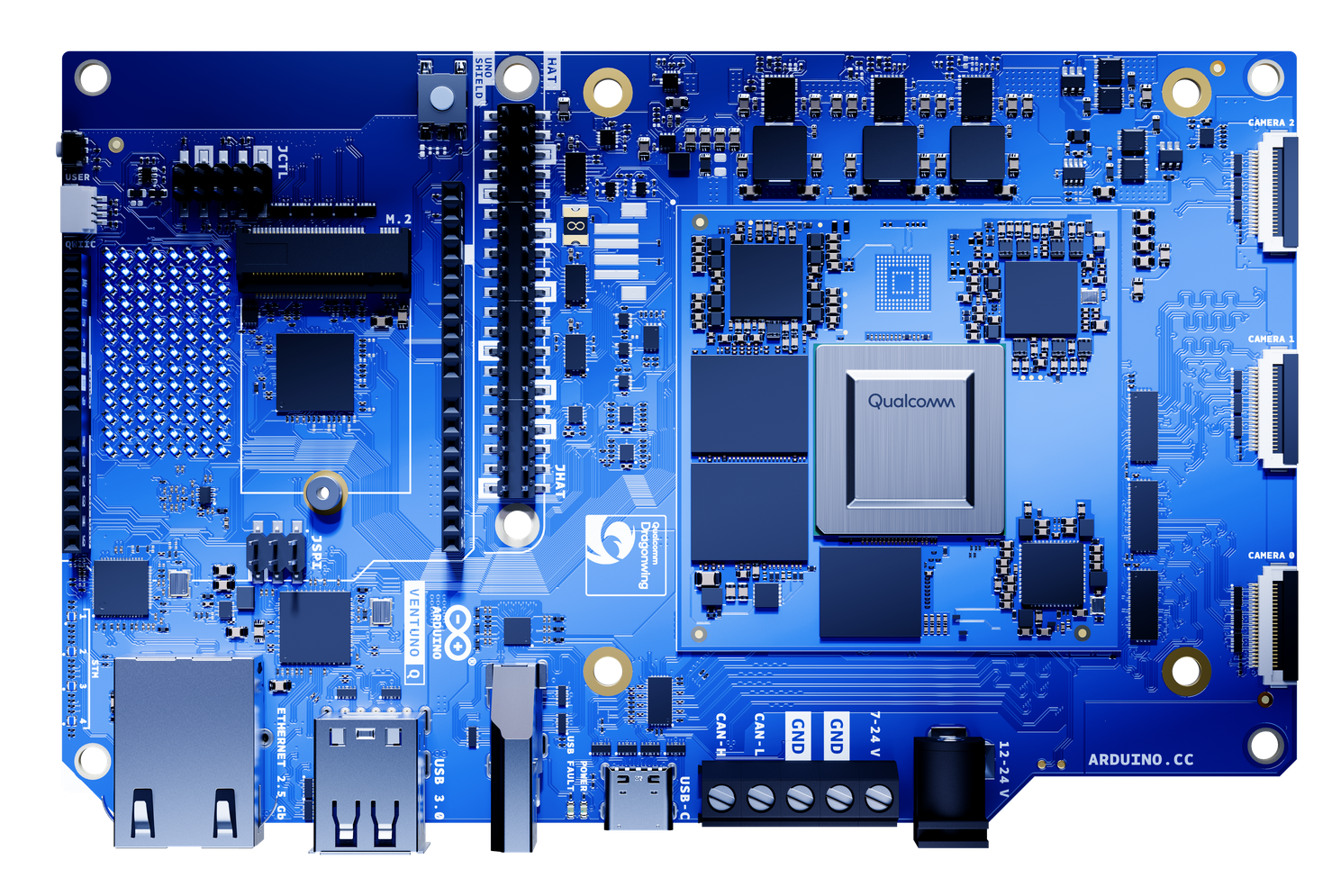
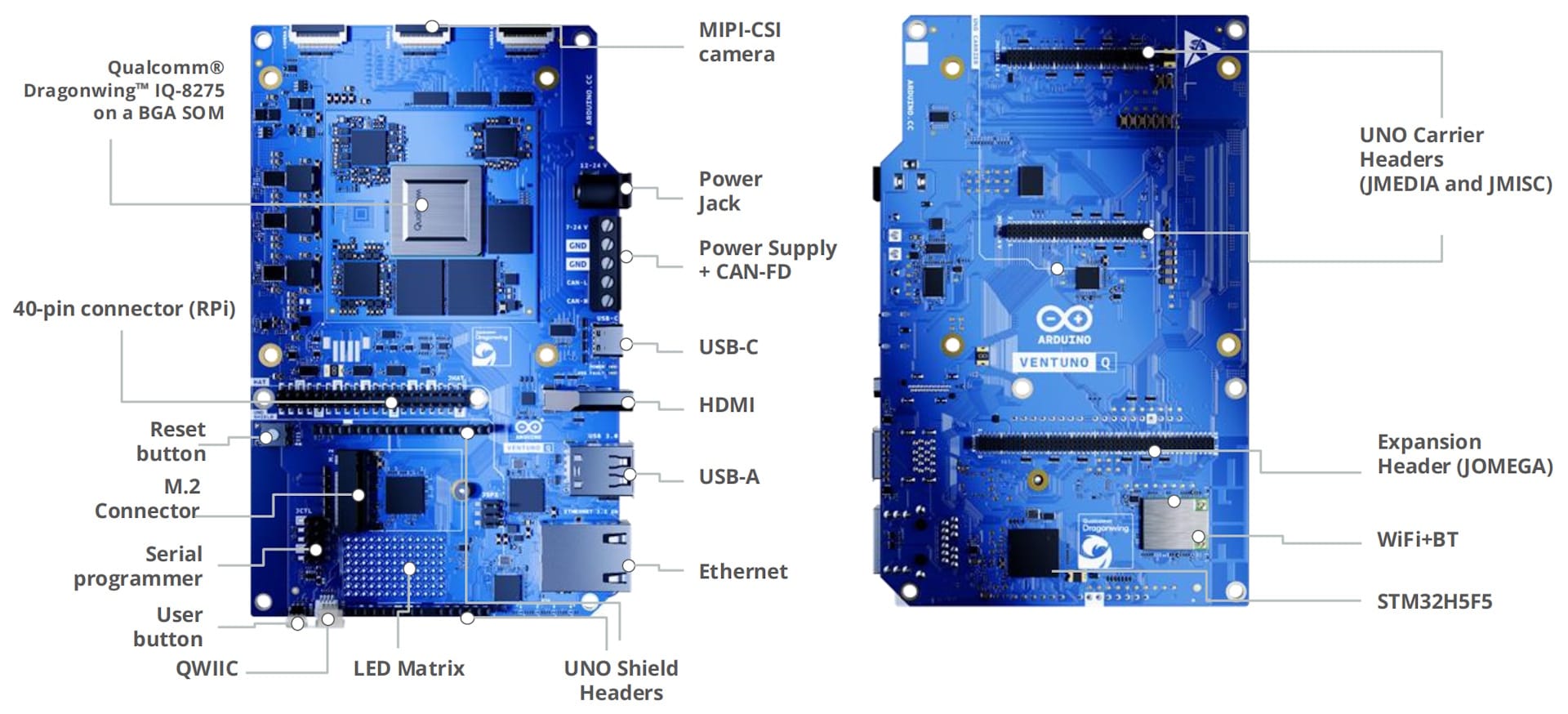
Following on the massive success of the Arduino UNO Q, launched in October 2025, the VENTUNO Q is the next evolution in Arduino’s AI-capable hardware. It features the powerful Qualcomm Dragonwing™ IQ-8275 processor, providing up to 40 TOPS of AI power to run advanced AI models like YOLO-Pro, local LLMs and VLMs, or speech to text pipelines directly on device.
Like the UNO Q, it uses a hybrid architecture: a Linux-capable MPU paired with an STM32H5 microcontroller for real-time control, enhanced by an integrated AI accelerator. The MPU, MCU, and AI engine work together to run Linux workloads and Arduino sketches, enabling applications from edge agents to autonomous industrial robotics. With Arduino App Lab, developers can seamlessly integrate Linux capabilities, AI acceleration, and microcontroller logic within a single development workflow.
App Lab with Full Edge Impulse Integration
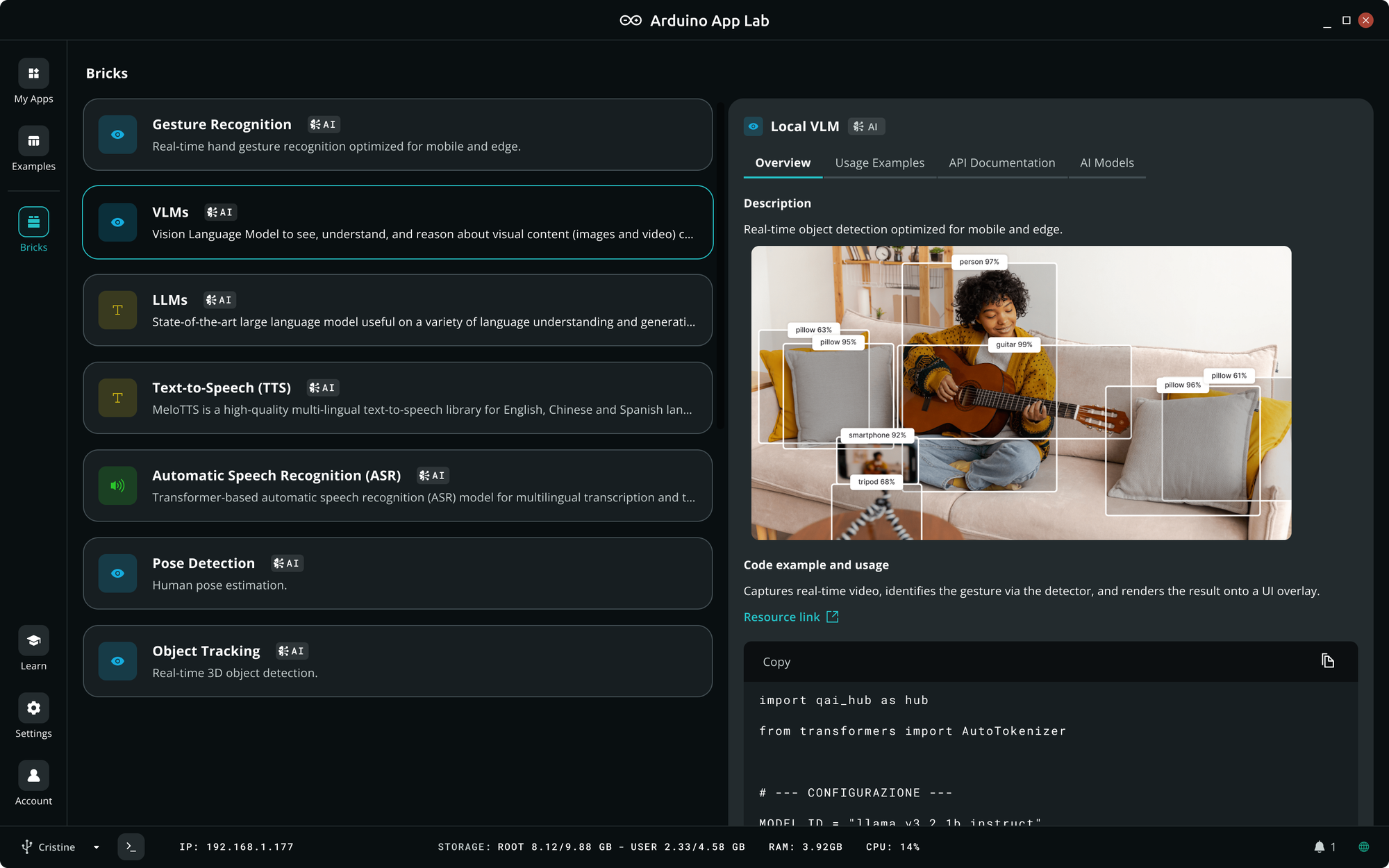
Arduino App Lab debuted with the UNO Q as a modular, low-code environment built around Bricks — prebuilt modules that developers can drag into their applications. The new Arduino App Lab release expands its AI capabilities through native integration with Edge Impulse.
With just a few clicks, UNO Q and VENTUNO Q developers can now:
- Collect data directly from Arduino hardware
- Send it to Edge Impulse
- Label and prepare datasets
- Train custom models
- Optimize and package models for their device
- Import the models back into Arduino App Lab
- Deploy as part of a complete application to their board
This unlocks endless possibilities for Arduino users.
We’ll talk more about Arduino App Lab in a bit; You can also learn more about VENTUNO Q and the Arduino App Lab updates on Arduino’s official launch page.
GenAI on the Edge — How Did We Get Here?
It’s hard to overstate how far edge hardware has come. Not long ago, running a neural network on an edge device meant working hard to optimize and squeeze the models to get the most out of the hardware. Nowadays, edge devices are in a different league. The new Qualcomm Dragonwing iQ-series processors, like the one onboard the new Arduino VENTUNO Q for instance, are purpose-built to bring advanced AI to robots, cameras, drones, and industrial machines in the field. These chips pack dedicated AI accelerators and can operate under industrial conditions, with the most advanced — such as the newly announced Qualcomm Dragonwing IQ10 Series — delivering up to 350 Trillion Operations per Second (TOPS) of on-device AI performance, enough to run powerful computer vision models or even a large language model like Llama 2 (13B parameters) directly on device.
Thanks to the sheer horsepower and efficiency of modern edge hardware, we're now seeing incredible scenarios come to life. Imagine an agricultural sensor node that not only detects crop diseases with a camera but can also answer a farmer’s questions about plant health, or a maintenance robot in a factory that can visually inspect equipment and explain issues or suggest fixes on the spot — all on device, without connecting to data centers. These are real options today.
However, even the most capable edge processor is still constrained compared to a cloud GPU cluster, requiring it to run smaller, optimized models. A 4GB RAM Arduino UNO Q board running a quad-core 2.0 GHz CPU (and a dedicated microcontroller for real-time tasks) is incredibly powerful for its size, but it can’t handle a 175-billion parameter model that lives in a datacenter. So while the era of on-device GenAI is here, we need smart strategies and efficient models tailored to the realities of edge hardware.
Why Fine-Tuning Models Matters
Even with today’s hardware, general-purpose pre-trained models, even tiny ones, often don’t deliver the accuracy or efficiency needed in real-world edge applications. This is why the ability to train and fine-tune models remains so crucial. When you can tailor a model to your own data and target device, you can make it not only efficient but also more accurate for your task than any one-size-fits-all model trained on generic open source data. A motion sensor model tuned to a specific machine’s vibration signature can detect anomalies far more reliably than a generic “anomaly detection” model. A custom vision model trained on images from your camera in your environment will outperform a generic model that was trained on a dataset like COCO.
Historically, creating custom, efficient models for the edge came with a lot of friction. Edge Impulse was built to eliminate the friction in this process, making it possible to gather data, design optimized architectures, quantize or compress models, and deploy them to embedded devices without writing a single line of code.
The Power of Combining Models in a Cascade
Another key insight we’ve gained from working with hundreds of edge AI projects is that no single model can do it all — especially under tight hardware constraints. The most robust solutions often combine multiple specialized models, each doing one thing well, arranged in a smart sequence or parallel cascade.
Consider a warehouse robot. It may need to navigate a busy environment, avoid people and obstacles, recognize specific objects to pick up, and even interact through voice commands. Achieving all this with one monolithic AI model would be impractical (or impossible) on a constrained edge device. Instead, a cascade of models works together:
- A lightweight person detector runs continuously to spot humans in the robot’s path, using computer vision.
- An object recognition model identifies inventory items or tools the robot needs to pick up, trained with the exact lighting and background conditions of that warehouse.
- A speech or command recognition model lets the robot understand simple voice instructions from workers.
By chaining these models together the robot operates efficiently and safely. The outputs of one model filter into the next. For instance, the person-detection model might run continuously and only activate the heavier object-recognition model when a person is not in the way, conserving resources. This cascaded approach is powerful: It plays to the strengths of each model and mitigates their individual limitations, resulting in a system that is more reliable and effective overall.
This “many small experts” strategy isn’t just for robots. It applies to lots of edge scenarios. On a conveyor belt, a camera might first run a presence detection model to see if there is an object in the frame, then trigger a more detailed object detection model, such as YOLO-Pro, to identify specific products, and finally use an anomaly detection model, such as FOMO-AD, to inspect anomalies in the product.
Orchestrating multiple models can be complex if you have to manually integrate different training tools and runtime engines. This is where the synergy of a unified ecosystem really shines — something Arduino App Lab specifically facilitates.
A Unified Workflow with Arduino App Lab
With these new releases, Arduino has just become the perfect platform for edge AI.
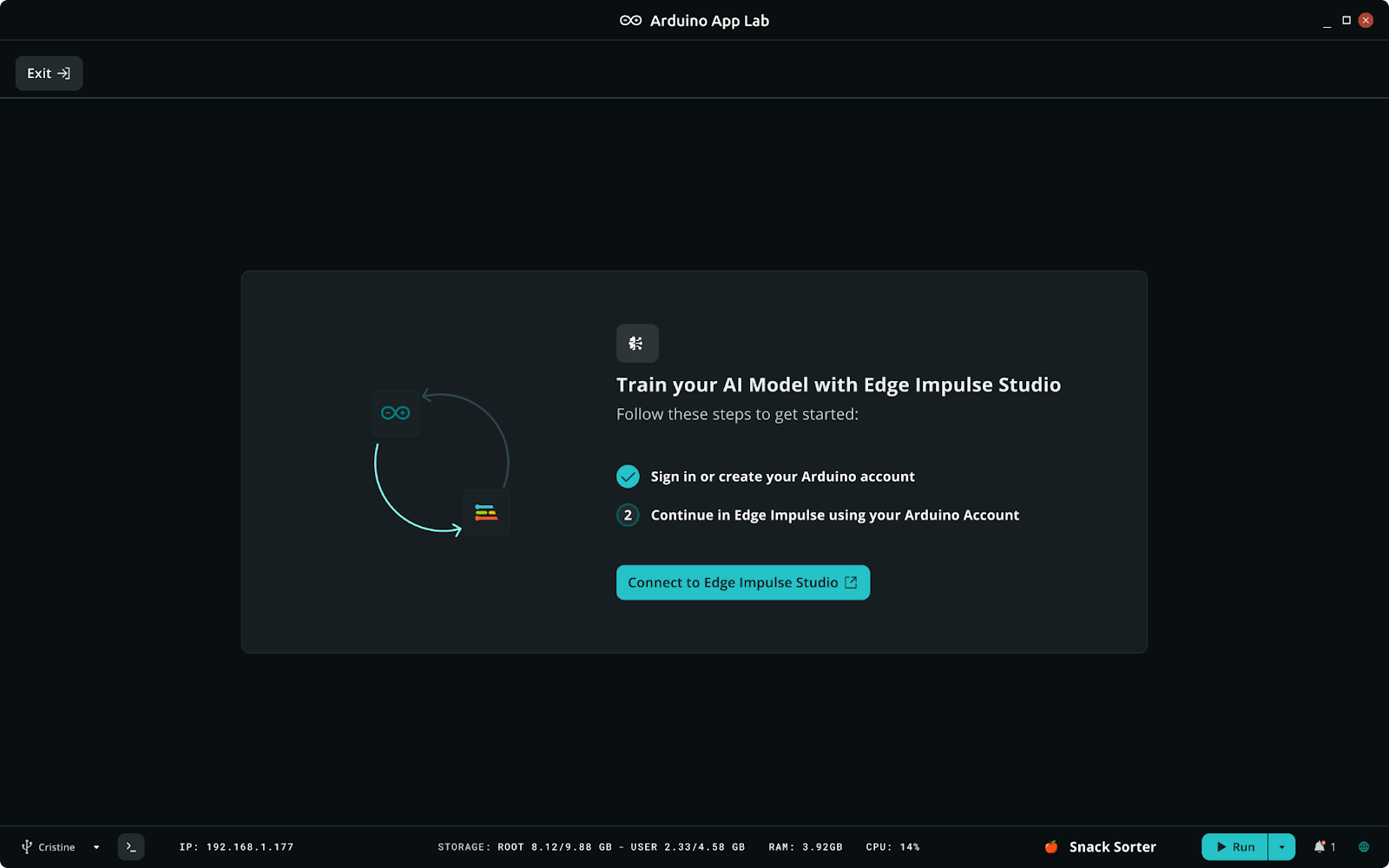
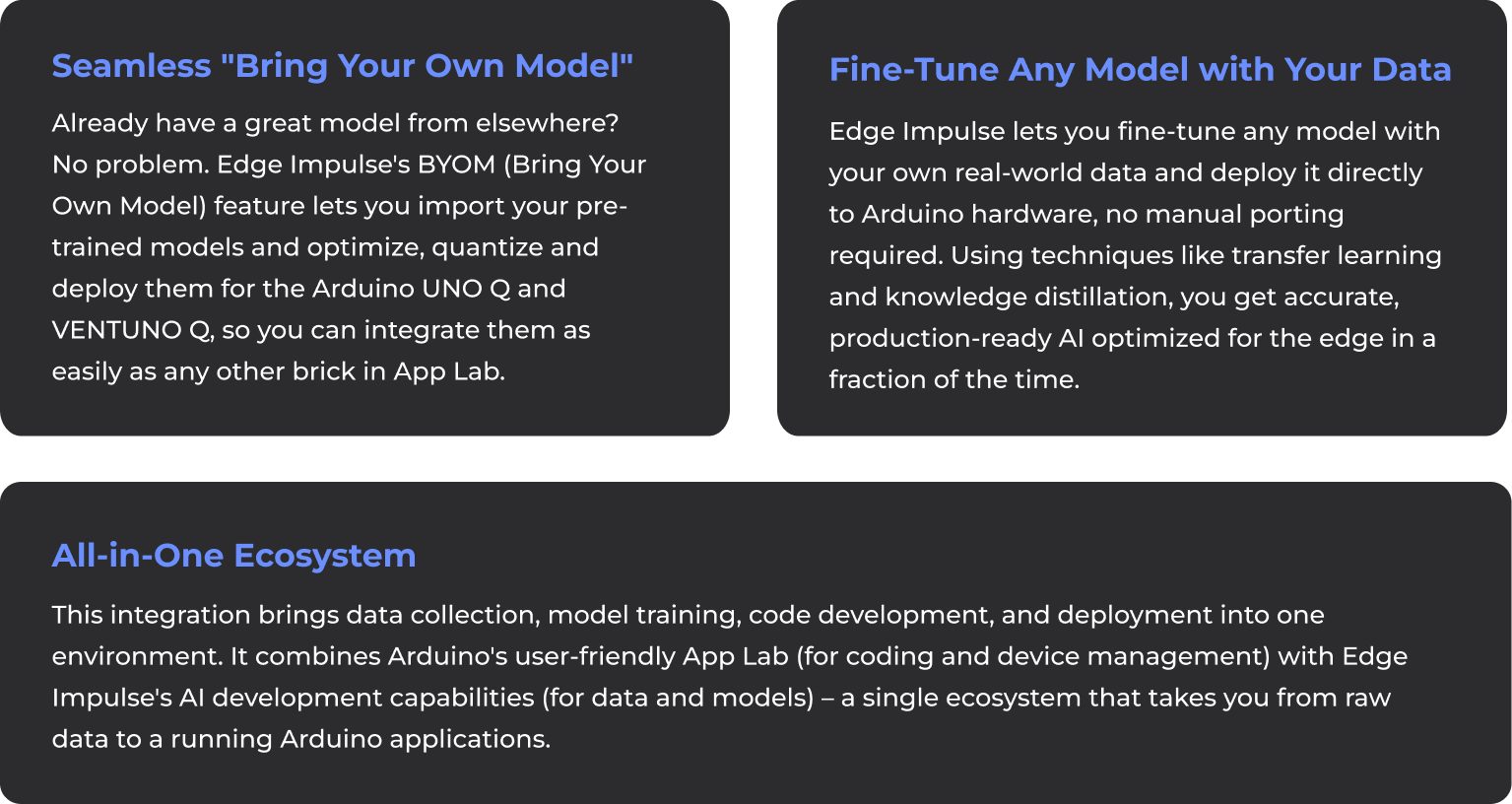
This kind of integration is unprecedented, and at Edge Impulse we are proud to be a core part of it. Our team worked closely with Arduino to embed Edge Impulse’s edge AI workflow directly into Arduino App Lab. In practice, it means you can do the following in one continuous workflow:
In this frictionless experience there’s no need to manually stitch together different platforms or juggle credentials. Your existing Arduino account accesses Edge Impulse from Arduino App Lab — no need to create a new account. By simplifying the journey from gathering data to training to deployment, we want you to spend less time on plumbing and more time on the creative parts of building your application.
Why This Integration Matters
The combined ecosystem of Arduino App Lab and Edge Impulse addresses real questions we regularly hear from the developer community:
- “How do I use my model in my application?” — Traditionally, you might train a model in Python using PyTorch or TensorFlow, then wrestle with converters, C++ code, and SDKs to get it running on an embedded device. It’s easy to break things in the process. With our integration, this question goes away. Your model is automatically optimized, containerized and deployed in a few clicks, so the focus shifts to what the model does rather than how to cram it into the device.
- “Can I use multiple AI models together on this device?” — Yes! This is where the power of a unified ecosystem really shines. Because both Edge Impulse and Arduino App Lab support running multiple models on the target, you can design apps that use, for example, both a person detection model and a spoken command recognition model simultaneously. Arduino App Lab’s visual “bricks” make it straightforward to link the outputs of one model to the inputs of another, implementing the cascades we described earlier without writing complex scheduling code.
- “Do I have to become an AI expert to use this?” — Absolutely not. If you’re a seasoned ML engineer, you’ll find the workflow speeds up your development. But if you’re a beginner or domain expert with a problem to solve, this integration helps you leverage AI without the steep learning curve. Arduino App Lab’s interface is friendly and visual, and Edge Impulse takes care of the heavy AI lifting through a guided workflow that enables anyone to go from an idea to a solution that works in the real world. You can start from examples of pre-built AI bricks or community projects, then customize your own model when you’re ready, all within a guided environment.
In short, we want you to focus on the why and what of your project, not the how. By removing the tedious parts of edge AI development, the Arduino and Edge Impulse integration lets you spend your energy on defining the right problem and solution.
Real-World Impact: What Will You Build?
This integration makes advanced edge AI practical across many domains:
- Smarter Industrial Vision: With the new integration, you could train a custom vision model on thousands of examples of your good and bad products using Edge Impulse (perhaps leveraging a pre-trained model as a starting point), then deploy it to Arduino App Lab, combine it with other bricks — for instance, an anomaly detection model monitoring machine vibrations. By chaining these models, your assembly line system becomes proactive: detecting defects in real time and even predicting machine failures before they happen. The result? Higher quality and less downtime.
- Retail and Smart Cities: In a retail store setting, an Arduino UNO Q could power a smart shelf that tracks inventory and enhances shopping experiences. A custom object detection model might continuously identify products on the shelf (ensuring stock is in the right place and triggering alerts when items are low). At the same time, a generative AI model, running on the same device, could provide an interactive assistant for shoppers, answering questions about products in natural language, without needing the cloud. The Edge Impulse-Arduino App Lab integration makes this feasible by letting developers incorporate a vision model and a language model side by side, with each optimized for the device’s constraints. The combination of models means the device can interpret visual data and conversational queries together — a rich, multi-modal retail AI experience, all on the edge.
- Robotics & Automotive: Small autonomous robots in warehouses and smart drones used on farms need to make split-second decisions reliably. With Arduino App Lab and Edge Impulse, you could train a suite of models: one for navigation and obstacle detection, another for object recognition (e.g., identifying packages or crops), and even add an anomaly detector listening to machine sounds for signs of mechanical issues. Because the VENTUNO Q’s Qualcomm processor is designed for robotics and vision applications, it can handle these concurrent models in real time. The integrated development flow means you can refine each model (or add new ones) quickly as your use case evolves, and it's all orchestrated within a single App Lab project.
Whether you’re an experienced ML developer or just someone with a problem you think AI could solve, this unified approach can dramatically accelerate your work. Early users have described the integration as “magical” — the way everything just works in concert. It’s the culmination of hard work by teams at Arduino, Edge Impulse, and Qualcomm, all aimed at one thing: empowering developers to build the next generation of intelligent devices.
Ready to Build the Future at the Edge?
If you’re as excited as we are about the possibilities, there’s never been a better time to jump in. With Arduino VENTUNO Q and UNO Q, along with Arduino App Lab and its Edge Impulse integration, you have a complete pipeline from data collection to model deployment at your fingertips. No need to be an AI guru or an embedded systems expert — if you have an idea and the passion to solve a problem, this new workflow will guide you from start to finish.
To get started, make sure you have the latest Arduino board and Arduino App Lab installed. From there, simply open an example and click “Train new AI model” under the Bricks → AI Models menu to connect your Arduino account to Edge Impulse. A whole world of edge AI potential opens up: you can train models on your own sensor data, or even import existing ones, then deploy them in just a few clicks. For step-by-step guidance, check out the official documentation and tutorials from Arduino and Edge Impulse — you’ll find everything from getting your board set up to tips on building great datasets and models.
The fusion of Arduino’s approachable hardware/software and Edge Impulse’s AI development platform represents the power of the ecosystem coming together. It’s about making complex technology accessible. It’s about enabling you — the developers, the makers, the innovators in garages and labs and factories — to create solutions that once seemed out of reach. We can’t wait to see what you’ll build with it.