
Robots are leaving the factory floor. They are starting to show up in warehouses and on farms, in hospitals and on construction sites, inside pipes and out in the open air. The promise is simple and huge: machines take on work that is dull, dirty, or dangerous and do it reliably. Actually building one is hard, because a robot is really many systems working in concert. It has to sense the world, make sense of what it finds, decide what to do, and move, all at once and all in real time.
The robotics community found a way to avoid reinventing every one of those systems from scratch. It is called ROS, the Robot Operating System. Despite the name it is not an operating system in the everyday sense. ROS is an open-source framework that lets the many parts of a robot share information and work together, and it has become the common ground that researchers and companies build on. A team using ROS can stand on the work of thousands of others rather than starting from zero. If you touch robotics today, ROS is very likely somewhere in your stack.
A robot is only as capable as its ability to understand its surroundings, and that understanding starts with sensors. Cameras let it see, microphones let it hear, and motion sensors let it feel movement and vibration. The hard part is turning those raw streams into good decisions in the moment, on the robot itself, without sending data off to the cloud and waiting for a reply. That calls for machine learning small and fast enough to run on the modest hardware a robot carries.
This is where Edge Impulse fits in.
Edge Impulse is a platform for building machine learning that runs at the edge, meaning on the device itself rather than in a distant data center. It works across many kinds of data, from vision to sound to motion. You can train a model to recognize objects in a camera feed, hear a fault in the whine of a motor, or catch abnormal vibration from an accelerometer. You gather examples, train a model in the browser, and export something compact enough to run on-device. It turns edge AI from a research effort into something a small team can actually ship. Edge Impulse makes it easy to collect data, train, and export a hardware-optimized model as a single .eim file that runs anywhere.
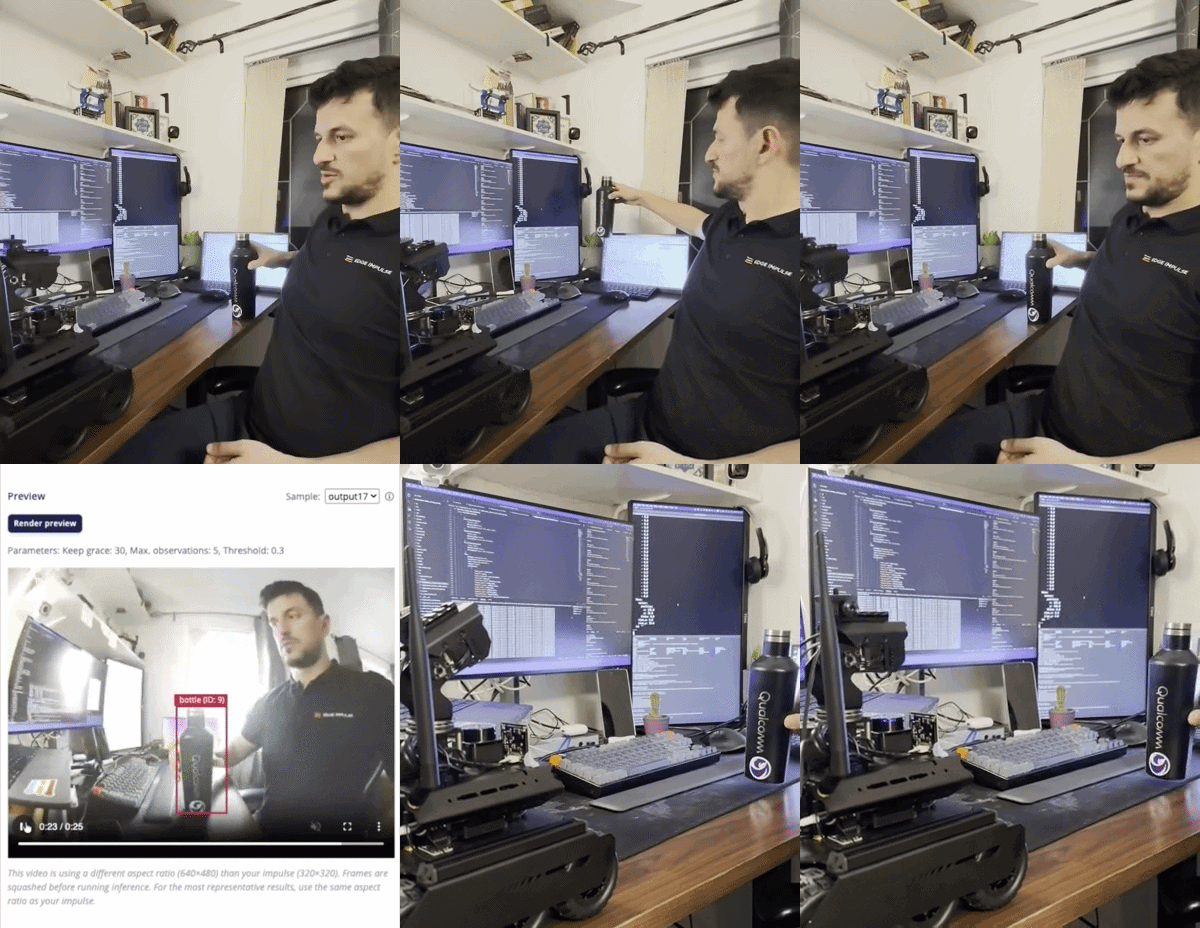
Until now, taking one of those models and getting it to work inside a robot meant a fair amount of custom plumbing. The model lived in one world and the robot's software lived in another, and someone had to wire the two together by hand every single time. That kind of friction is what keeps promising ideas stuck on the workbench.
So we built a bridge. edgeimpulse_ros is a small piece of open-source software that lets an Edge Impulse model plug straight into the ROS world. Once it is running, whatever the model understands becomes something the rest of the robot can use as naturally as any other part of its software. There is no hand-written glue and no bespoke format to maintain.
If you build on ROS, you can add on-device intelligence and spend your time on the parts that make your robot yours.
Meet edgeimpulse_ros
edgeimpulse_ros is built around one idea: the node is a pure inference processor. This first release focuses on vision, the sense robots lean on most. If you give this module a camera view, then your robot can gains a live, structured sense of what is in front of it, whether those are objects to avoid, categories to sort, or anomalies to investigate. Vision is the starting point rather than the finish line. Because Edge Impulse already understands sound, motion, and other signals, the same approach opens a clear path to giving robots those senses too.
edgeimpulse_ros makes it easy. Images in, vision_msgs out.
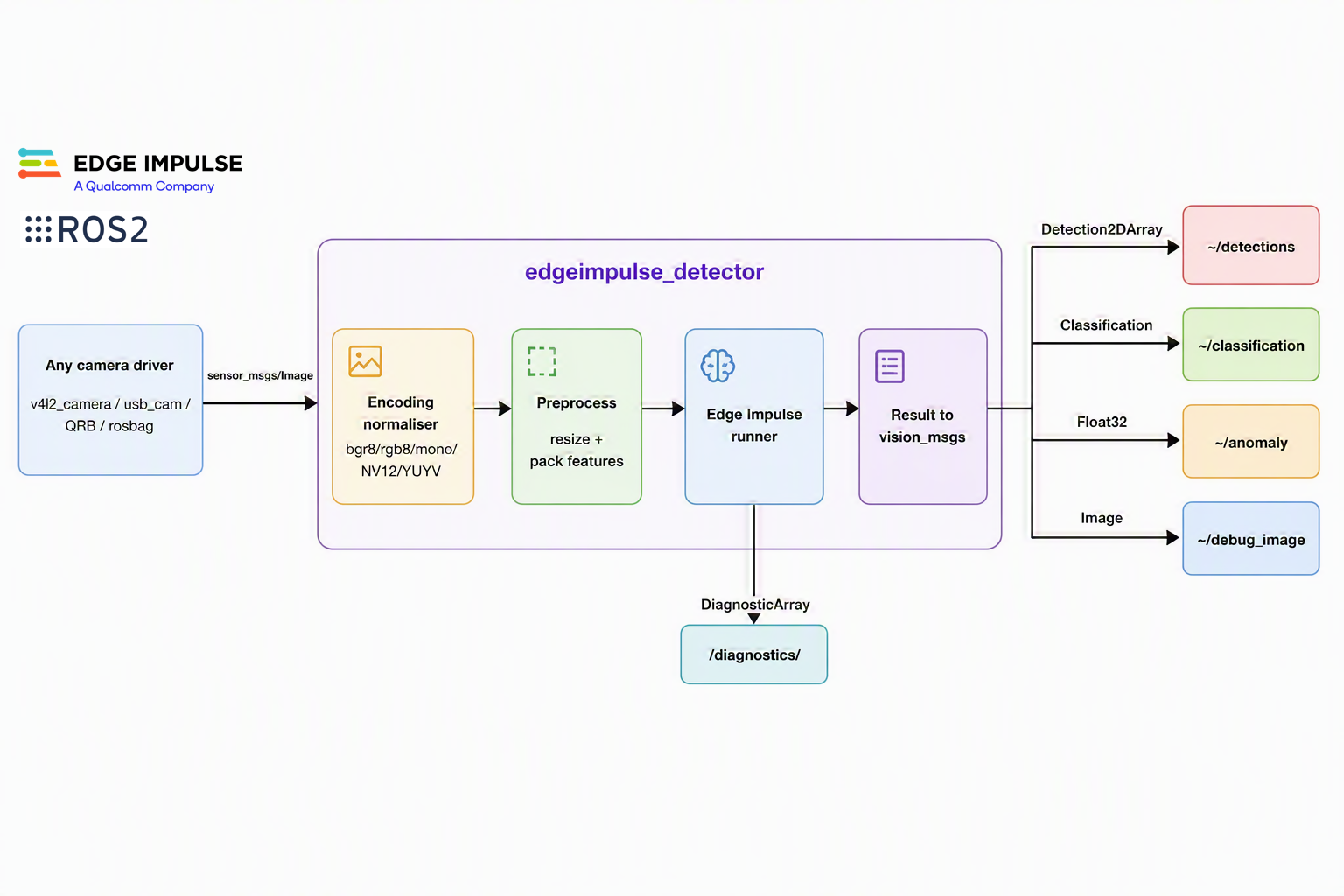
Because it subscribes to a standard sensor_msgs/Image topic, it drops straight into the pipeline you already have — and it plays nicely with QoS, image_transport, namespaces, and multi-camera setups.
Highlights
- Camera-agnostic: Subscribe to any image topic with configurable QoS; optional
CompressedImageinput - Handles the hard encodings: Decodes
bgr8,rgb8,mono8/16,bgra8,rgba8,yuyv,uyvy, andnv12/nv21natively - Correct timestamps: The source image’s
stampandframe_idpropagate to every output, so TF and fusion keep working - Every image model type: Object detection, image classification, FOMO, and visual anomaly detection (FOMO-AD)
- Accurate coordinates: Detections are mapped from model-input space back to the original image resolution (crop/pad/squash aware)
- Idiomatic messages:
vision_msgs/Detection2DArrayandClassification, plus latchedVisionInfo/LabelInfo - Observability built in: An optional annotated debug image and a
diagnostic_msgs/DiagnosticArraywith FPS, latency, and model health
Get started in five minutes
Setting up edgeimpulse_ros is very straightforward. Install the package and the Edge Impulse Linux SDK, then run the bundled webcam demo:
# In your ROS 2 workspace
colcon build --packages-select edgeimpulse_ros
source install/setup.bash

# One-command demo with a USB camera (needs ros-$ROS_DISTRO-v4l2-camera)
ros2 launch edgeimpulse_ros edgeimpulse_with_camera.launch.py \
  model_path:=/absolute/path/to/model.eim \
  publish_debug_image:=true
Then watch the results flow:
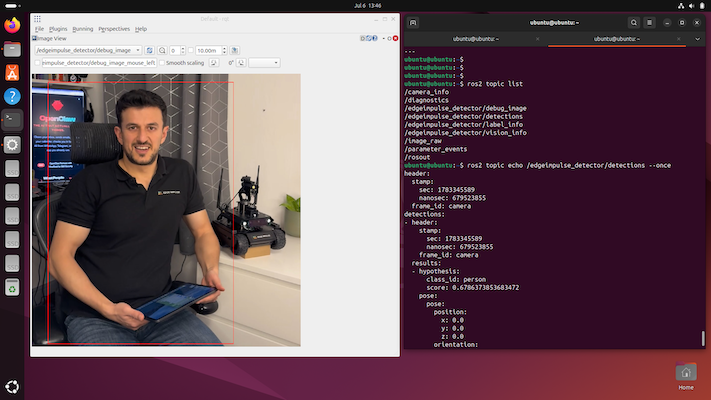
ros2 topic echo /edgeimpulse_detector/detections
ros2 run rqt_image_view rqt_image_view /edgeimpulse_detector/debug_image
Already have a camera node? Skip the demo launch and point the detector at your existing topic:
ros2 launch edgeimpulse_ros edgeimpulse_detector.launch.py \
  model_path:=/path/to/model.eim \
  image_topic:=/camera/image_raw
Built for the real world
NV12 and the Qualcomm QRB
Qualcomm Dragonwing™ QRB processors are optimized for robotics and vision-based applications, with camera pipelines designed for high-performance edge AI workloads.
On QRB-based devices, camera streams are typically published through the QRB ROS Camera package, which provides access to Qualcomm CSI and GMSL cameras. By default, these streams are delivered in NV12, a commonly used camera image format that is optimized for efficient video capture and processing.
Traditionally, developers often need to add an image conversion step before feeding these streams into an AI application. With edgeimpulse_ros, that extra integration work isn't required. The node can decode NV12 frames directly (as well as NV21 and YUYV) and automatically convert them to BGR for inference.
This allows you to connect edgeimpulse_ros directly to the camera topic:
ros2 launch edgeimpulse_ros edgeimpulse_detector.launch.py \
  model_path:=/path/to/model.eim \
  image_topic:=/qrb_camera/image
Visual anomaly detection
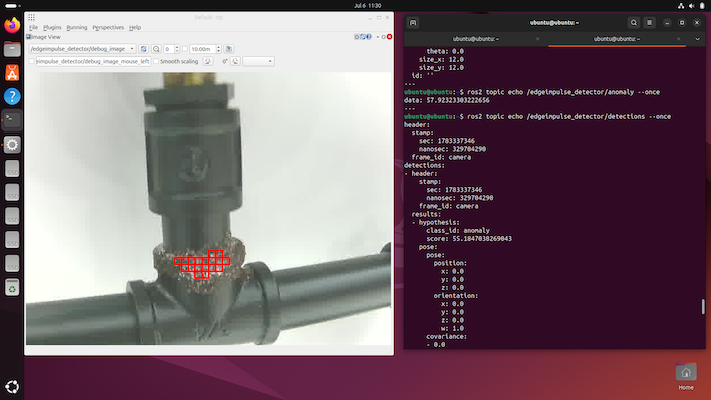
FOMO-AD models are perfect for quality control and “something’s wrong here” monitoring. edgeimpulse_ros publishes the spatial anomaly grid as boxes on ~/detections and the peak anomaly score on ~/anomaly, and overlays the flagged regions on the debug image.
Ready for real robots
Picture a robot crawling through a water main, its camera watching for cracks and corrosion and flagging trouble the instant it appears, so a crew knows exactly where to dig. That is one project already underway on this integration. The same building block fits a wide range of work. A farm robot can tell crops from weeds, a warehouse robot can recognize the box it needs, a drone can survey a bridge for damage, and a service robot can notice when a person walks into the room. The robot changes and the sensor changes and the model changes, yet the way it all connects stays the same.
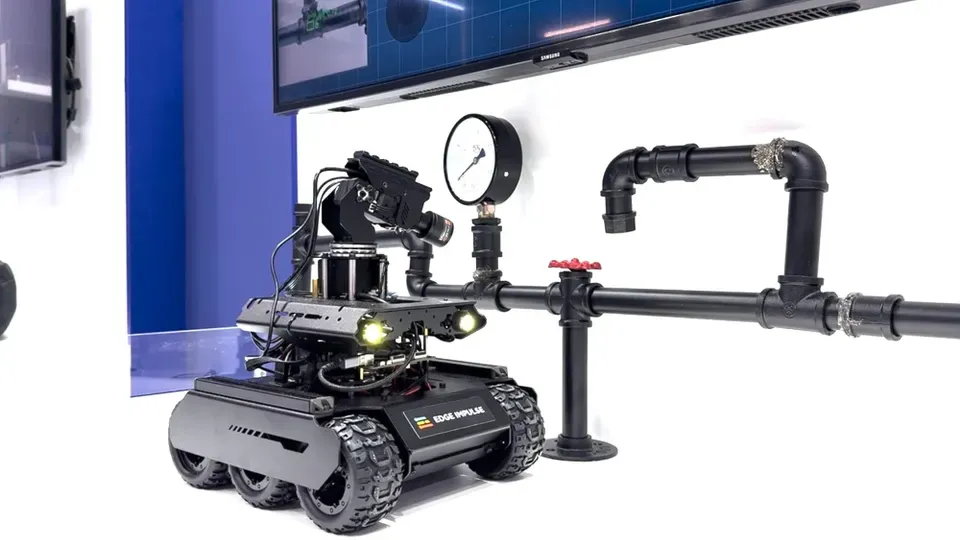
edgeimpulse_ros is built to run on an actual robot:
- It never falls behind. If your hardware can't run inference as fast as the camera streams, the node always processes the newest frame and drops the stale ones — so results reflect what the camera sees right now instead of drifting seconds behind
- You configure it without editing code. The input topic, QoS, resize mode, confidence threshold, and debug overlay are all ROS 2 parameters, with ready-to-use launch files and a documented config file
- It's tested and easy to build on. The image maths and message conversions have unit tests that run without a camera or a model, so you can extend the package with confidence
Get involved
If you work with ROS and want to try it, everything you need lives in the repository, including setup steps, ready-to-run examples, and the details for wiring it into your own robot. Bring a model you trained in Edge Impulse or start from a public one, and you can have it running in a few minutes.
edgeimpulse_ros is open source and BSD-3-Clause-Clear license. Robotics has always moved faster when we build on each other's work, and we cannot wait to see what you create.
- ⭐ GitHub: github.com/edgeimpulse/edgeimpulse-ros
- 🧠 Train a model: Edge Impulse Studio
- 📚 Docs: docs.edgeimpulse.com
- 💬 Questions : Edge Impulse forum
We’d love to see what you build — tag us with your robot running on-device AI in ROS 2.
[About the Author: Moe Sani is an Edge AI Solutions Architect who advises companies and product teams on deploying intelligent systems at the edge. He helps organizations select the right platforms, models, and deployment strategies to move from prototype to production without costly rework.]